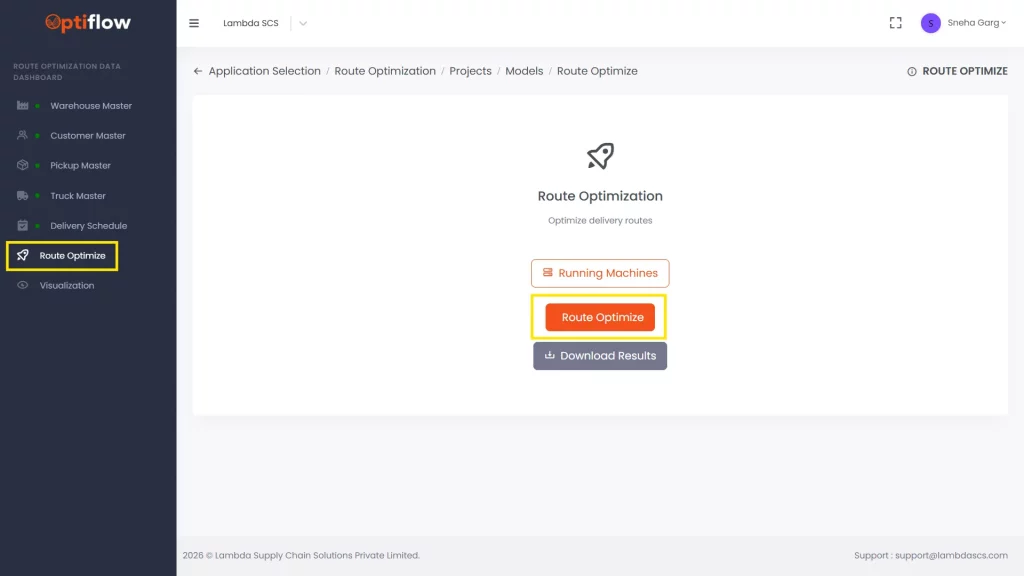
1. To run the model, click on “Route Optimize” in Data Dashboard then click on “Route Optimize”.
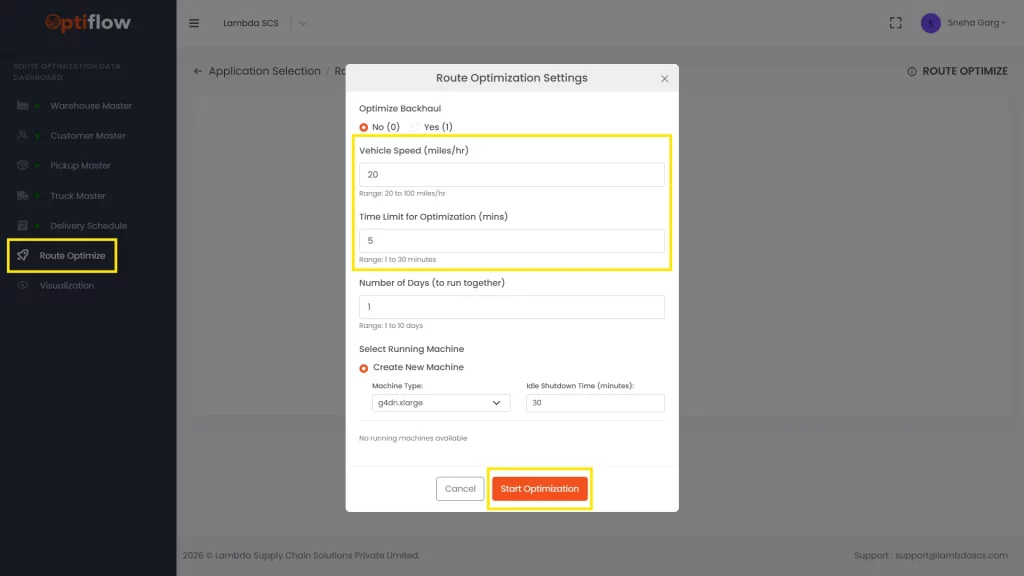
2. After clicking on “Route Optimize” must give necessary inputs like vehicle speed and optimization time and click on “Start Optimization”.
Route Optimization Settings
Optimize backhaul
The default selection is ‘No’. Select ‘Yes’ if the model contains backhaul or pickup data.
Vehicle Speed
Set the desired vehicle speed. The default value is 20 mph, with an allowable range of 20 to 100 mph.
Time Limit for Optimization
The default time is 5 minutes. This can be increased or decreased based on model size, with a maximum limit of 30 minutes.
No of Days (to run together)
Specify the number of consecutive days over which the model should be executed for multi-day delivery planning. The default is 1 day.