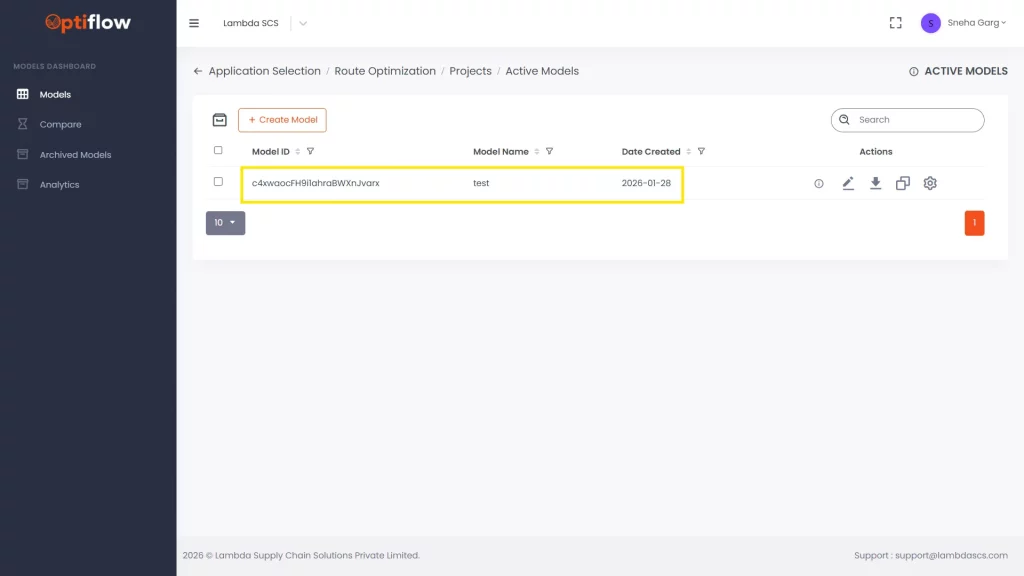
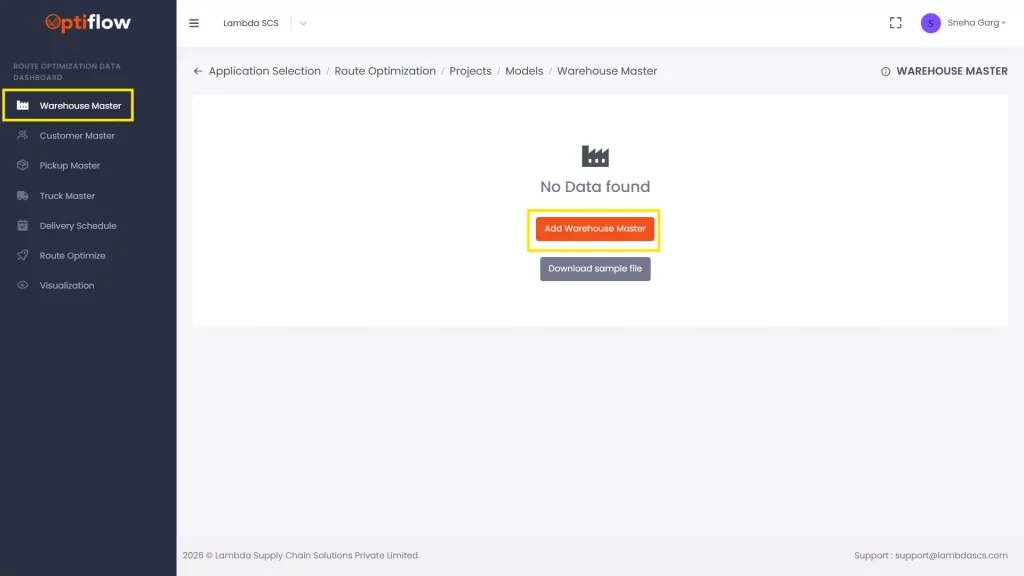
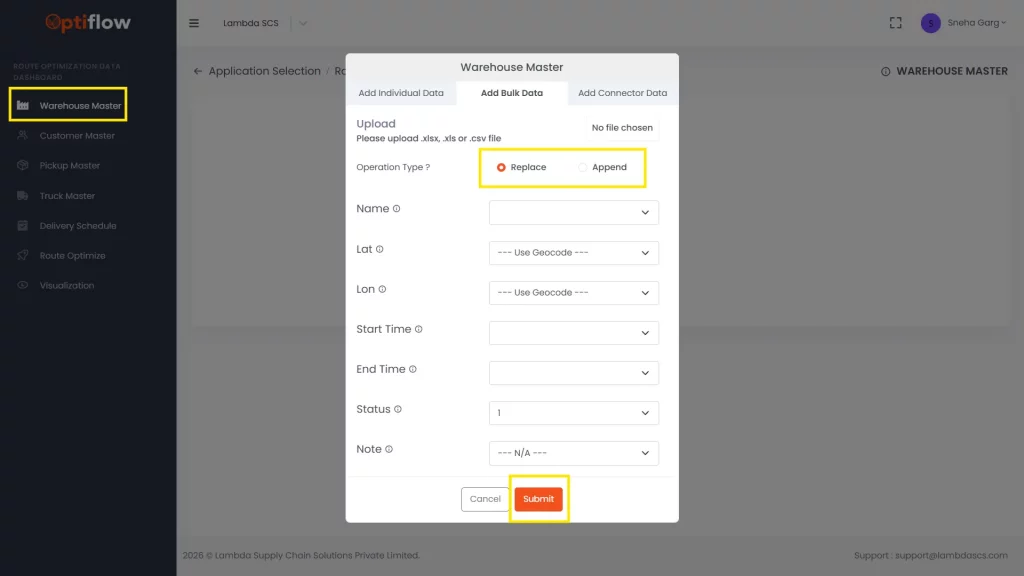
2. Select “Warehouse Master” in Data Dashboard and then click on “add warehouse master”.
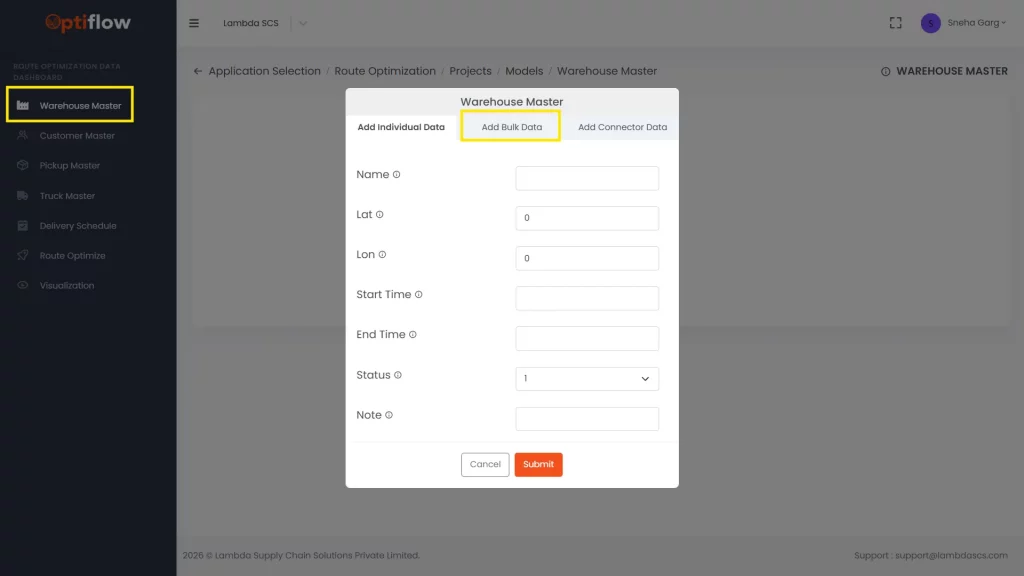
3. By default add individual data tab will open, you can add the data row by row in this tab or click on Bulk data tab to upload bulk data.
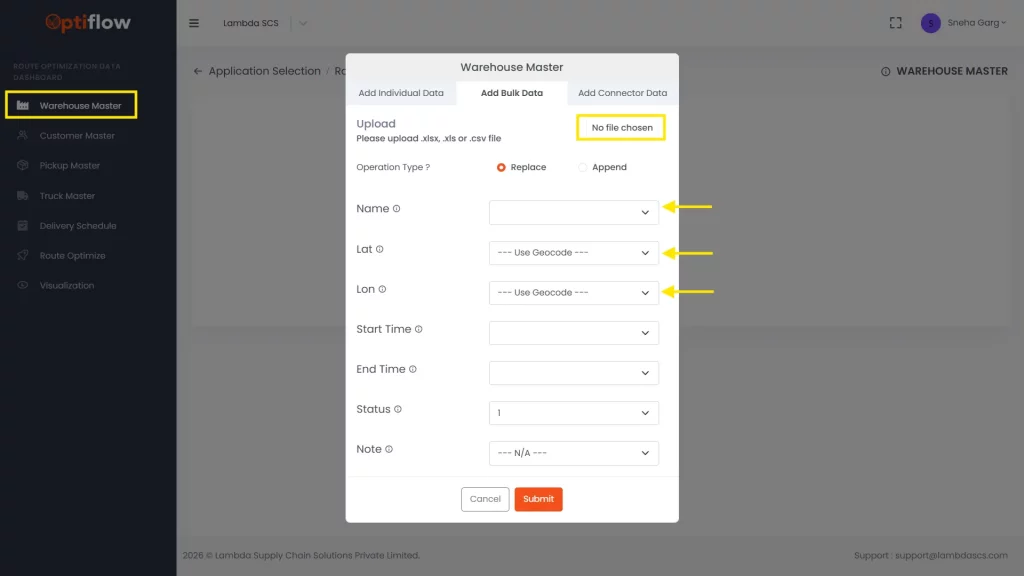
4. Upload the file in xlsx, xls, csv format and Map your file’s attributes with this table format
5. Click on replace to replace the file or click on Append to add additional rows to existing data and then Click on Submit.
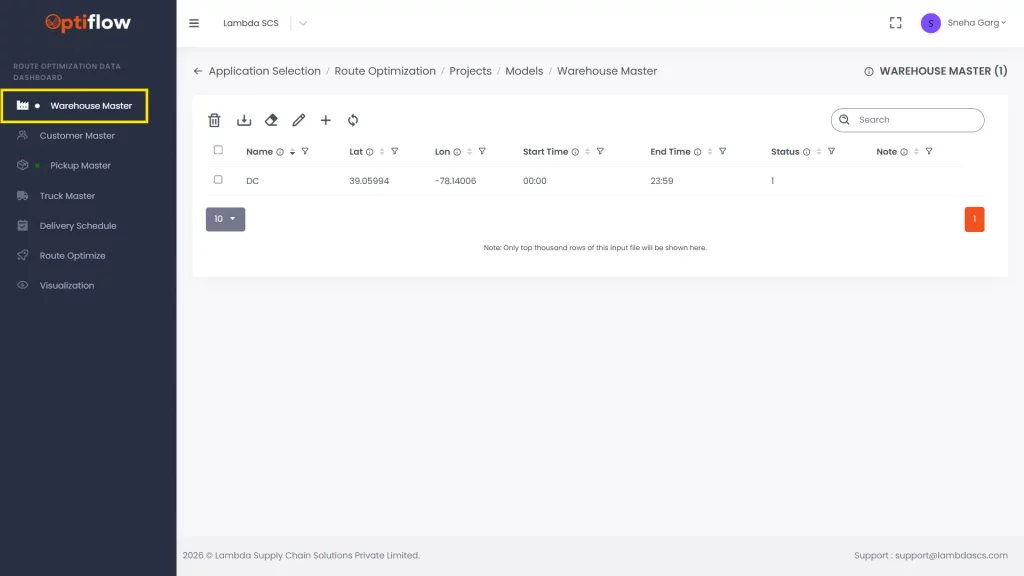
6. This is how your data will appear after a successful upload.
Table Description
Name
Name of the warehouse to be added in this column.
Lat
Latitude of the warehouse to be added in this field.
Lon
Longitude of the warehouse to be added in this field.
Start Time
Start time of the warehouse to be added in this field.
End Time
End time of the warehouse to be added in this field.
Status
1 or 0 can be assigned for active or inactive status of warehouse.
Note
Any remarks/comments can be added in this column.